Jan 20, 2010

Assassin's Creed 2 Review


Assassin's Creed 2 is a much better game than its predecessor. For one thing, it's actually a complete game, possessing a beginning, a middle, and an end, where the original Assassin's Creed had a very interesting beginning and a satisfying end connected by 20 hours of interminable grey tedium. And while this sequel may not feel quite as fresh as the first game's handful of exceptional moments did, it serves up a more consistently enjoyable experience from start to finish.


AC2 has some flaws, but it benefits from a completely reworked structure that keeps the pace snappy and makes those minor issues fairly unnoticed. Without a doubt, the most important improvement here is the way Ubisoft Montreal revamped the core mission design. The first Creed offered a sharply limited palette of objectives: Scout the area, undertake a set of investigative assignments, kill a guy, repeat. It was just so boring to do the same tasks again and again. ACII offers more varied primary tasks, largely relegating the previous game's toilsome errands to the sidelines. You may have a friendly chat with Leonardo da Vinci one minute and kill a politician at a gala event the next, while events like races and extracurricular assassinations are almost entirely left to the player's discretion. One could conceivably play the game strictly for the story missions, which would result in a lean, cinematic, eight-hour adventure.


The great thing about AC2 is that you don't have to play it that way. You don't have to play it any particular way, in fact. At any moment, the game is bursting with available objectives, both mandatory and optional, spread across half a dozen beautifully rendered city-states of Renaissance Italy. These range from the obvious (advancing the story) to the obligatory (hunting for cash and collectibles) to the exceptional (exploring a number of self-contained tombs crammed with Prince of Persia-style platforming challenges). Completing any of these tasks results in a real sense of accomplishment with tangible rewards, giving AC2 an addicting, just-one-more-mission appeal.
The story keeps things interesting, too. The game's overarching plot admittedly goes a bit off the rails in this chapter, building up to a cliffhanger ending that seems to channel Dan Brown and Xenogears in equal parts, but the whole thing is carried along nicely by the game's leading man, a young Italian noble named Ezio d'Auditore. Unlike Creed's surly cipher of a hero, Altaïr, Ezio is charming and good-natured, driven by a desire for revenge but never consumed by it. Ezio is likable enough to sell the game's goofiest plot twists, even if his character development grinds to a halt in the latter portions of the game.


As for the limitations of the control interface? Ubisoft's workaround was to create a game that's almost preposterously easy. Constant in-game text prompts guide your actions from start to finish, generously placed checkpoints soften the blow of screwups, and Ezio can build up his health and healing items to the point where the prospect of losing in combat is unthinkable. It's definitely the right approach, since failure in AC2 so often seems in no real correlation to player error, but it makes for a game you play to have a bit of carefree escapism rather than a challenge. The tricky Assassin's Tomb platforming missions are a welcome change of pace, albeit few in number.
AC2 is everything a sequel ought to be: An improvement on the original in nearly every way. Perhaps more impressively, it actually has me interested to see where the series goes from here -- something I wouldn't have expected after I slogged my way through the original. Anyone who enjoyed the first game will definitely like AC2, but the real accomplishment is that people who didn't enjoy it will likely have a good time, too.


SCREENSHOTS


(IMAGES WILL ADDED IN THE COMINGDATES)

Jan 11, 2010

How to Crack a Wi-Fi Network's WEP Password with BackTrack

How to Crack a Wi-Fi Network's WEP Password with BackTrack - CRACK0HACK


 You already know that if you want to lock down your Wi-Fi network, you should opt for WPA encryption because WEP is easy to crack. But did you know how easy? Take a look. Today we're going to run down, step-by-step, how to crack a Wi-Fi network with WEP security turned on. But first, a word: Knowledge is power, but power doesn't mean you should be a jerk, or do anything illegal. Knowing how to pick a lock doesn't make you a thief. Consider this post educational, or a proof-of-concept intellectual exercise. Dozens of tutorials on how to crack WEP are already all over the internet using this method. Seriously—Google it. This ain't what you'd call "news." But what is surprising is that someone like me, with minimal networking experience, can get this done with free software and a cheap Wi-Fi adapter. Here's how it goes.

What You'll Need

How to Crack a Wi-Fi Network's WEP Password with BackTrack - CRACK0HACKUnless you're a computer security and networking ninja, chances are you don't have all the tools on hand to get this job done. Here's what you'll need:
  • A compatible wireless adapter—This is the biggest requirement. You'll need a wireless adapter that's capable of packet injection, and chances are the one in your computer is not. After consulting with my friendly neighborhood security expert, I purchased an Alfa AWUS050NH USB adapter, pictured here, and it set me back about $50 on Amazon. The guy in this video below is using a $12 model he bought on Ebay (and is even selling his router of choice). You won't go wrong with the Alfa, but do your research. There are plenty of resources on getting aircrack-compatible adapters out there.
  • A BackTrack 3 Live CD.  Download yourself a copy of the CD and burn it, or load it up in VMware to get started. (I tried the BackTrack 4 pre-release, and it didn't work as well as BT3. Do yourself a favor and stick with BackTrack 3 for now.)
  • A nearby WEP-enabled Wi-Fi network. The signal should be strong and ideally people are using it, connecting and disconnecting their devices from it. The more use it gets while you collect the data you need to run your crack, the better your chances of success.
  • Patience with the command line. This is an ten-step process that requires typing in long, arcane commands and waiting around for your Wi-Fi card to collect data in order to crack the password. Like the doctor said to the short person, be a little patient.

Crack That WEP

To crack WEP, you'll need to launch Konsole, BackTrack's built-in command line. It's right there on the taskbar in the lower left corner, second button to the right. Now, the commands. First run the following to get a list of your network interfaces:
airmon-ng
The only one I've got there is labeled ra0. Yours may be different; take note of the label and write it down. From here on in, substitute it in everywhere a command includes (interface). Now, run the following four commands. See the output that I got for them in the screenshot below.

airmon-ng stop (interface)
ifconfig (interface) down
macchanger --mac 00:11:22:33:44:55 (interface)
airmon-ng start (interface)
How to Crack a Wi-Fi Network's WEP Password with BackTrack - CRACK0HACKIf you don't get the same results from these commands as pictured here, most likely your network adapter won't work with this particular crack. If you do, you've successfully "faked" a new MAC address on your network interface, 00:11:22:33:44:55.
Now it's time to pick your network. Run:
airodump-ng (interface)
To see a list of wireless networks around you. When you see the one you want, hit Ctrl+C to stop the list. Highlight the row pertaining to the network of interest, and take note of two things: its BSSID and its channel (in the column labeled CH), as pictured below. Obviously the network you want to crack should have WEP encryption (in the ENC) column, not WPA or anything else. How to Crack a Wi-Fi Network's WEP Password with BackTrack - CRACK0HACKLike I said, hit Ctrl+C to stop this listing. (I had to do this once or twice to find the network I was looking for.) Once you've got it, highlight the BSSID and copy it to your clipboard for reuse in the upcoming commands.
Now we're going to watch what's going on with that network you chose and capture that information to a file. Run:
airodump-ng -c (channel) -w (file name) --bssid (bssid) (interface)
Where (channel) is your network's channel, and (bssid) is the BSSID you just copied to clipboard. You can use the Shift+Insert key combination to paste it into the command. Enter anything descriptive for (file name). I chose "yoyo," which is the network's name I'm cracking. How to Crack a Wi-Fi Network's WEP Password with BackTrack - CRACK0HACK

You'll get output like what's in the window in the background pictured below. Leave that one be. Open a new Konsole window in the foreground, and enter this command:
aireplay-ng -1 0 -a (bssid) -h 00:11:22:33:44:55 -e (essid) (interface)
Here the ESSID is the access point's SSID name, which in my case is yoyo. What you want to get after this command is the reassuring "Association successful" message with that smiley face. How to Crack a Wi-Fi Network's WEP Password with BackTrack - CRACK0HACKYou're almost there. Now it's time for:
aireplay-ng -3 -b (bssid) -h 00:11:22:33:44:55 (interface)
Here we're creating router traffic to capture more throughput faster to speed up our crack. After a few minutes, that front window will start going crazy with read/write packets. (Also, I was unable to surf the web with the yoyo network on a separate computer while this was going on.) Here's the part where you might have to grab yourself a cup of coffee or take a walk. Basically you want to wait until enough data has been collected to run your crack. Watch the number in the "#Data" column—you want it to go above 10,000. (Pictured below it's only at 854.) Depending on the power of your network (mine is inexplicably low at -32 in that screenshot, even though the yoyo AP was in the same room as my adapter), this process could take some time. Wait until that #Data goes over 10k, though—because the crack won't work if it doesn't. In fact, you may need more than 10k, though that seems to be a working threshold for many. How to Crack a Wi-Fi Network's WEP Password with BackTrack - CRACK0HACK

Once you've collected enough data, it's the moment of truth. Launch a third Konsole window and run the following to crack that data you've collected:
aircrack-ng -b (bssid) (file name-01.cap)
Here the filename should be whatever you entered above for (file name). You can browse to your Home directory to see it; it's the one with .cap as the extension. If you didn't get enough data, aircrack will fail and tell you to try again with more. If it succeeds, it will look like this: How to Crack a Wi-Fi Network's WEP Password with BackTrack - CRACK0HACKThe WEP key appears next to "KEY FOUND." Drop the colons and enter it to log onto the network.

Problems Along the Way

With this article I set out to prove that cracking WEP is a relatively "easy" process for someone determined and willing to get the hardware and software going. Even though the AP which I was cracking was my own and in the same room as my Alfa, the power reading on the signal was always around -30, and so the data collection was very slow, and BackTrack would consistently crash before it was complete. After about half a dozen attempts (and trying BackTrack on both my Mac and PC, as a live CD and a virtual machine), I still haven't captured enough data for aircrack to decrypt the key. So while this process is easy in theory, your mileage may vary depending on your hardware, proximity to the AP point, and the way the planets are aligned. Oh yeah, and if you're on deadline—Murphy's Law almost guarantees it won't work if you're on deadline.

Nov 23, 2009

COMMON INTERNET SCAMS AND FRAUDS

The term Internet Scam or Internet Fraud refers to any type of fraud scheme that uses one or more online services to conduct fraudulent activities. Internet fraud can take place on computer programs such as chat rooms, e-mail, message boards, or Web sites. In this post I will discuss about some of the commonly conducted scams and frauds across the Internet.

1. Phishing Scam
This is one of the most commonly used scam to steal bank logins and other types of passwords on the Internet. Phishing is the criminally fraudulent process of attempting to acquire sensitive information such as usernames, passwords and credit card details by masquerading as a trustworthy entity in an electronic communication. Phishing is typically carried out by e-mail or instant messaging.

Example:You may receive an email which claims to have come from your bank/financial institution/online service provider that asks you to click a link and update your account information. When you click such a link it will take you to a fake page which exactly resembles the original ones. Here you’ll be asked to enter your personal details such as username and password. Once you enter your personal details they will be stolen away. Such an email is more than likely the type of Internet scam known as “phishing”. Phishing is said to be highly effective and has proved to have more success rate since most of the common people fail to identify the scam.

Most legitimate companies never request any kind of personal/sensitive information via email. So it is highly recommended that you DO NOT respond to such fraudulent emails.


2. Nigerian Scams
This type of scam involves sending emails (spam) to people in bulk seeking their help to access large amount of money that is held up in a foreign bank account. This email claims that in return for the help you’ll be rewarded a percentage of the fund that involves in the transaction. Never respond to these emails since it’s none other than a scam.

In case if you respond to these emails you will be asked to deposit a small amount of money (say 1-2% of the whole fund) as an insurance or as an advance payment for the initialization of deal. However once you deposit the amount to the scammer’s account you’ll not get any further response from them and you lose your money. In fact “The large amount of money” never exists and the whole story is a trap for innocent people who are likely to become victims. The scammers use a variety of stories to explain why they need your help to access the funds. The following are some of the examples of them.

Examples:

They may claim that political climate or legal issues preclude them from accessing funds in a foreign bank account
They may claim that the person is a minor and hence needs your help to access the funds
They may claim that your last name is the same as that of the deceased person who owned the account and suggest that you act as the Next of Kin of this person in order to gain access to the funds


3. Lottery Scams
This type of scam is similar to the one discussed above. In this type you may receive an email saying that you have won a large sum of money in online lottery scheme (ex. UK Lottery) even though you have not participated in any such schemes. The message claims that your email ID was selected randomly from a lagre pool of IDs. When you respond to such emails they initially ask for your complete name and address so that they can mail the cheque accross to you. After getting those details they may also send you an image of the cheque drawn in your name and address so as to confirm the deal. But in order to mail this cheque they demand a small amount of money as insurance/shipping charge/tax in return. However if you send the amount in hope to receive the cheque all you get is nothing. You’re just trapped in a wonderful scam scheme. Thats it.


4. Other General Scams and Frauds
The following are some of the other types of scams that you should be aware of.

In general, be aware of unsolicited emails that:

Promise you money, jobs or prizes
Ask you to provide sensitive personal information
Ask you to follow a link to a website and log on to an account.
Propose lucrative business deals
However it may seem to be a difficult task for novice Internet users to identify such online scams. Here are some of the common signs of such scam emails. By knowing them it may help you to stay away.

All these scam emails never address you by your name. In turn they commonly address you something like “Dear User” or “Dear Customer” etc. This is a clear indication that the email is a fraudulent one
When you observe the email header you may notice in the “TO:” Field that, the same email is forwarded to a large group of people or the “TO:” field appears blank. So this confirms that the email was not intended particularly for you. It was forwarded for a large group of people and you are one among them

YOUR COMMENTS VALUE REALLY VERY MUCH.......

Oct 20, 2009

HIDE PARTITION IN WINDOWS

Disk partitioning is about making a physical or logical hard disk usable by the operating system. Each disk partition can be used like a hard disk by the operating system. A hard disk can be made of several partitions.
A hidden partition is such a partition which cannot b visible from my computer. Hence nobody except the one ho created the partition wont know whats inside the partition....
This is a small to create such a hidden partition and to protect your sensational datas...


  • This trick is for all those people who want to hide tons of data into their box. So here it is, if you have very important data in your hard drive placed in some partition which you do not want anybody to access then this trick is only for you!


  • Just click on start>run type gpedit.msc, now navigate through user configuration> administrative templates > windows components> windows explorer, now double click on “Hide these specified drives in My Computer” modify it accordingly then just below you will find another option “Prevent access to drives from My Computer”, double click on this option and modify it accordingly.


  • To make it visible again select "disable" by double clicking on the “Hide these specified drives in My Computer” option.                  


  • Oct 15, 2009

    windows password loop hole...


    a. ok now, what you need to do is to run compmgmt.msc

    b. and click on local users and groups.

    c. once you've gotten here you need to open up the 'users' folder.


    at this point i am walking along with you and notice that there are several
    major security holes dealing specifically with the password:
    1. double clicking on the any user name allows you a list that looks
    something like this:
    "user name"

    full name: -----------------------
    |__________________|

    description: -----------------------
    |__________________|
    --
    |_| user must change password at next logon

    --
    |_| user cannot change password

    --
    |/| password never expires

    --
    |_| account is disabled

    --
    |_| account is locked out


    "ok" "cancel" "apply"

    ok if you can get past my cheesy drawing, i must ask, did you notice that
    the "password never expires" box is checked? if you did, then you may have
    realized that this means that you can also uncheck it!

    2. if ure paying attention, you'll see that the 'user must change password
    at next logon' box is unchecked. if you put a check in this box of course,
    when you shut down the system will prompt for a new password!

    3. going back to step c.,
    right click on any account and notice the dialoge that appears:
    set password...
    all tasks
    delete
    rename
    properties
    help

    i think you can handle it from here

    ps. i wonder if you can access this data if this stuff is locked to the user
    by the admin by going in through the command prompt. i doubt it but if anyone

    found pls let me know....


    Thanks for fainted brain who gave information on this for me


    Sep 30, 2009

    DOMAIN HIJACKING


    In this post I will tell you about how the domain names are hacked and how they can be protected. The act of hacking domain names is commonly known as Domain Hijacking. For most of you, the term “domain hijacking” may seem to be like an alien. So let me first tell you what domain hijacking is all about.
    Domain hijacking is a process by which Internet Domain Names are stolen from it’s legitimate owners. Domain hijacking is also known as domain theft. Before we can proceed to know how to hijack domain names, it is necessary to understand how the domain names operate and how they get associated with a particular web server (website).
    The operation of domain name is as follows
    Any website say for example gohacking.com consists of two parts. The domain name (gohacking.com) and the web hosting server where the files of the website are actually hosted. In reality, the domain name and the web hosting server (web server) are two different parts and hence they must be integrated before a website can operate successfully. The integration of domain name with the web hosting server is done as follows.
    1. After registering a new domain name, we get a control panel where in we can have a full control of the domain.
    2. From this domain control panel, we point our domain name to the web server where the website’s files are actually hosted.
    For a clear understanding let me take up a small example.
    John registers a new domain “abc.com” from an X domain registration company. He also purchases a hosting plan from Y hosting company. He uploads all of his files (.html, .php, javascripts etc.) to his web server (at Y). From the domain control panel (of X) he configures his domain name “abc.com” to point to his web server (of Y). Now whenever an Internet user types “abc.com”, the domain name “abc.com” is resolved to the target web server and the web page is displayed. This is how a website actually works.
    What happens when a domain is hijacked
    Now let’s see what happens when a domain name is hijacked. To hijack a domain name you just need to get access to the domain control panel and point the domain name to some other web server other than the original one. So to hijack a domain you need not gain access to the target web server.
    For example, a hacker gets access to the domain control panel of “abc.com”. From here the hacker re-configures the domain name to point it to some other web server (Z). Now whenever an Internet user tries to access “abc.com” he is taken to the hacker’s website (Z) and not to John’s original site (Y).
    In this case the John’s domain name (abc.com) is said to be hijacked.
    How the domain names are hijacked
    To hijack a domain name, it’s necessary to gain access to the domain control panel of the target domain. For this you need the following ingredients
    1. The domain registrar name for the target domain.
    2. The administrative email address associated with the target domain.
    These information can be obtained by accessing the WHOIS data of the target domain. To get access the WHOIS data, goto whois.domaintools.com, enter the target domain name and click on Lookup. Once the whois data is loaded, scroll down and you’ll see Whois Record. Under this you’ll get the “Administrative contact email address”.
    To get the domain registrar name, look for something like this under the Whois Record. “Registration Service Provided By: XYZ Company”. Here XYZ Company is the domain registrar. In case if you don’t find this, then scroll up and you’ll see ICANN Registrar under the “Registry Data”. In this case, the ICANN registrar is the actual domain registrar.
    The administrative email address associated with the domain is the backdoor to hijack the domain name. It is the key to unlock the domain control panel. So to take full control of the domain, the hacker will hack the administrative email associated with it. Email hacking has been discussed in my previous post how to hack an email account.
    Once the hacker take full control of this email account, he will visit the domain registrar’s website and click on forgot password in the login page. There he will be asked to enter either the domain name or the administrative email address to initiate the password reset process. Once this is done all the details to reset the password will be sent to the administrative email address. Since the hacker has the access to this email account he can easily reset the password of domain control panel. After resetting the password, he logs into the control panel with the new password and from there he can hijack the domain within minutes.
    How to protect the domain name from being hijacked
    The best way to protect the domain name is to protect the administrative email account associated with the domain. If you loose this email account, you loose your domain. So refer my previous post on how to protect your email account from being hacked. Another best way to protect your domain is to go for private domain registration. When you register a domain name using the private registration option, all your personal details such as your name, address, phone and administrative email address are hidden from the public. So when a hacker performs a WHOIS lookup for you domain name, he will not be able to find your name, phone and administrative email address. So the private registration provides an extra security and protects your privacy. Private domain registration costs a bit extra amount but is really worth for it’s advantages. Every domain registrar provides an option to go for private registration, so when you purchase a new domain make sure that you select the private registration option.

    Sep 24, 2009

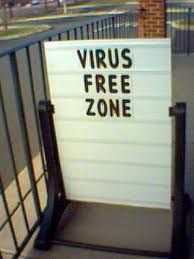
    CERTAIN TIPS TO MAINTAIN A VIRUS FREE COMPUTER


    Is your computer infected with virus? Do you often get mysterious error messages? Well this is a common problem faced by almost all the computer users across the globe. There are many viruses and worms out there that could infect your computer. Some are harmless, but, they do have the capacity to do any number of nasty things, up to and including, erasing all data from your computer. However there are ways to keep viruses away from your PC. Here are the 12 tips to maintain a virus free computer.
    1. Email is one of the common ways by which your computer can catch a virus. So it is always recommended to stay away from SPAM. Open only those emails that has it’s origin from a trusted source such as those which comes from your contact list. If you are using your own private email host (other than gmail, yahoo, hotmail etc.) then it is highly recommended that you use a good anti-spam software. And finally NEVER click on any links in the emails that comes from untrusted sources.
    2. USB thumb/pen drives is another common way by which viruses spread rapidly. So it is always a good habit to perform a virus scan before copying any data onto your computer. NEVER double-click the pen drive to open it. Instead right-click on it and select the option “open”. This is a safe way to open a pen drive.
    3. Be careful about using MS Outlook. Outlook is more susceptible to worms than other e-mail programs, unless you have efficient Anti-Virus programs running. Use Pegasus or Thunderbird (by Mozilla), or a web-based program such as Hotmail or Yahoo (In Firefox).
    4. As we all know, Internet is the main source of all the malicious programs including viruses, worms, trojans etc. In fact Internet contributes to virus infection by up to 80%. So here are the tips for safe surfing habits so that you can ward off virus infection up to the maximum extent.
    • Don’t click on pop-up windows that announce a sudden disaster in your city or announce that you’ve won an hourly prize. They are the ways to mislead Internet users and you should never trust them.
    • You can also use a pop-up blocker to automatically block those pop-ups.
    5. Most of us use search engines like Google to find what we are looking for. It is quite obvious for a malicious website to get listed in the search results. So to avoid visiting those untrusted malicious websites, you can download and install the AVG LinkScanner which is a freeware. This tool can become very handy and will help you to stay away from malicious websites.
    6. Install a good antivirus software and keep it updated. Also perform full system scan periodically. It is highly recommended that you turn on the automatic update feature. This is the most essential task to protect your PC from virues. If PC security is your first option then it is recommended that you go for a shareware antivirus software over the free ones. Most of the antivirus supports the Auto-Protect feature that provides realtime security for your PC. Make sure that this feature is turned on.
    7. Install a good Antispyware program, that operates against Internet malware and spyware.
    8. Never open any email attachments that come from untrusted sources. If it is a picture, text or sound file (these attachments end in the extensions .txt, .jpeg, .gif, .bmp, .tif, .mp3, .htm, .html, and .avi), you are probably safe, but still do a scan before opening.
    9. Do not use disks that other people gave you, even from work. The disk could be infected with a virus. Of course, you can run a virus scan on it first to check it out.
    10. Set up your Windows Update to automatically download patches and upgrades. This will allow your computer to automatically download any updates to both the operating system and Internet Explorer. These updates fix security holes in both pieces of software.
    11. While you download files from untrusted websites/sources such as torrents, warez etc. make sure that you run a virus scan before executing them.
    12. And finally it is recommended not to visit the websites that feature illegal/unwanted stuffs such as cracks, serials, warez etc. since they contribute much in spreading of viruses and other malicious programs.